Why web applications fail to rank
The typical production web application is engineered for the users who already know it exists — fast navigation, smooth interactions, and a carefully tuned interface. But from a search engine's perspective, it often presents a different picture: pages with identical or missing metadata, JavaScript-rendered content that crawlers cannot index, and no structured signals about what the application actually does. The result is zero organic visibility despite genuine technical quality.
Search engines rank documents that clearly and specifically answer the queries people type. A homepage that renders a hero component with a tagline tells a crawler almost nothing about the application's domain, functionality, or audience. Structured content — specific headings, descriptive metadata, semantic schema — is what gives crawlers the context they need to associate your application with real search intent.
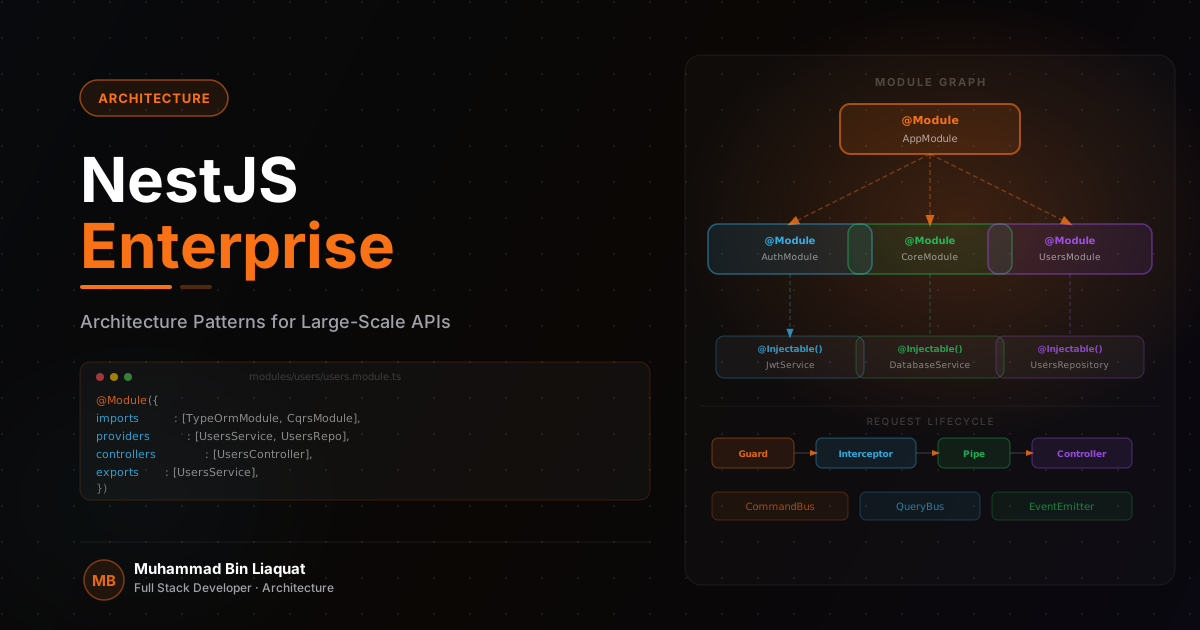
Next.js provides every tool needed to build a genuinely crawlable, indexable, and rankable web application. The App Router's metadata API, server-side rendering, and file-based routing create a tight SEO foundation without any third-party plugins. The gap between a well-ranked web application and an invisible one is almost always a matter of how these built-in capabilities are structured and applied consistently.
- Audit every page against the question: what specific query does this page answer for a real user?
- Use Google Search Console from day one to see which queries Google associates with your application.
- Map each route to a distinct keyword theme — no two pages should compete for the same search intent.
- Ensure every public-facing page is server-rendered or statically generated, not client-rendered only.
- Crawl your own application with Screaming Frog to find missing metadata and orphaned pages.
Build a metadata system, not one-off titles
Next.js 13+ App Router provides a first-class metadata API that lets you define titles, descriptions, Open Graph tags, and canonical URLs at the layout or page level. The key is to treat this as a system — a set of rules that every route follows consistently — rather than writing tags manually for each page and forgetting to update them when content changes. A metadata system scales; ad-hoc tags drift.
A solid metadata system begins with a base configuration in the root layout: site name, default Open Graph image, Twitter card type, and a title template. Each route then overrides only what it needs to. For a dynamic route like a blog article or product page, the title is generated from the record's data, the description pulls from the record's summary field, and the canonical URL is constructed deterministically from the slug. This architecture means metadata is always consistent with content.
The title tag formula has measurable impact on click-through rate. Search engines truncate titles above 60–65 characters, and the most effective titles lead with the primary keyword rather than the brand name. For example, 'Retrieval-Augmented Generation in Production | Engineering Blog' outperforms 'Engineering Blog — RAG Systems' for anyone searching about production RAG. Test your title formulas in Google Search Console's Performance report — click-through rate on impressions tells you whether titles are resonating.
Open Graph and Twitter Card metadata controls how content appears when shared on LinkedIn, Slack, and X — the primary channels where technical content is distributed. A well-configured og:image at 1200×630 with a relevant title overlay transforms a raw URL into a visual card that earns clicks. Every page in a public-facing web application should have unique, non-generic Open Graph metadata.
- Use Next.js `generateMetadata` for all dynamic routes — never hardcode metadata in page components.
- Set `metadataBase` in the root layout so relative Open Graph image paths resolve to absolute URLs.
- Write title tags in the format: Primary Keyword — Supporting Context | Site Name.
- Never duplicate the same title or description across two pages — Google will arbitrarily choose which to index.
- Validate Open Graph tags with the LinkedIn Post Inspector before publishing any major page.
JSON-LD schema for structured search results
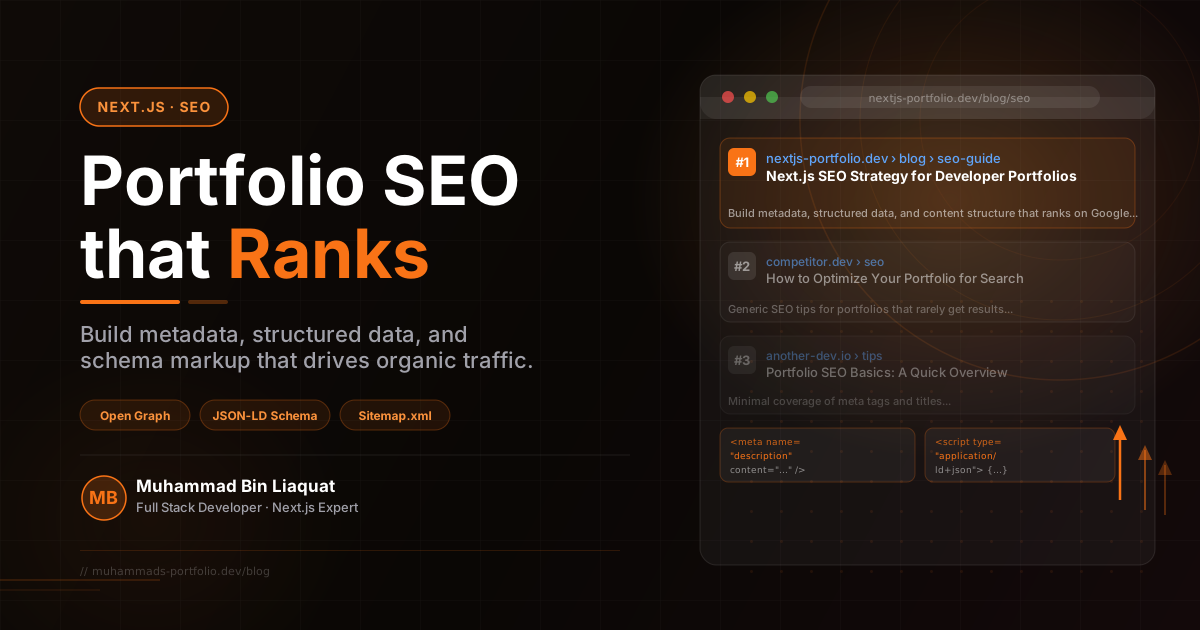
Schema markup is structured data that tells search engines exactly what kind of entity your content represents. For web applications, the most valuable schema types are WebSite (for sitelinks search box eligibility), Article (for editorial content), BreadcrumbList (for navigation context), and WebApplication or SoftwareApplication (for application pages). When implemented correctly, these schemas can trigger rich results in Google Search — increasing click-through rate by giving users additional context before they even visit the page.
For editorial content like documentation, blog articles, or technical guides, the Article schema should include headline, author, datePublished, dateModified, image, and publisher fields. The dateModified field is particularly important for freshness signals — updating it when content is meaningfully refreshed tells Google the content is current and worth re-crawling. In Next.js, inject schema as a JSON-LD script tag in the page's head, using a reusable SchemaScript component that handles serialization cleanly.
BreadcrumbList schema on interior pages helps Google understand site hierarchy and can display breadcrumb trails in search results. This is especially valuable on deep routes — documentation subsections, article categories, or nested product pages — where the breadcrumb trail gives search users navigational context before they click. Pair BreadcrumbList schema with the visible breadcrumb component in the UI so the schema accurately reflects what users see.
WebSite schema with a SearchAction property enables sitelinks search box in Google — when someone searches your domain or brand name, a search input appears directly in the results page. This is particularly valuable for documentation sites, knowledge bases, and content-heavy applications where users want to search within the site rather than navigate to it first.
- Add WebSite schema to your root layout with a SearchAction if your application has internal search.
- Include Article schema on every piece of editorial content with accurate datePublished and dateModified.
- Use BreadcrumbList schema on all pages deeper than the root level.
- Validate all schema with Google's Rich Results Test before deploying to production.
- Inject schema via a dedicated SchemaScript component — never mix JSON-LD into page content.
Internal linking as a ranking amplifier
Internal links are how PageRank flows through a site. Every link from one page to another passes authority and signals topical relationships to search engines. A web application with no internal linking strategy is essentially a collection of isolated pages — each competing alone, without support from the rest of the site. The pages that rank strongly are almost always the ones that receive consistent internal links from related content.
The most effective internal linking structure is a hub-and-spoke model. Core pages — feature overviews, service descriptions, high-priority landing pages — act as hubs with broad relevance. Specific content pages — technical articles, case studies, documentation sections — act as spokes that link back to hubs and to each other within topic clusters. For example, an article about React performance should link to relevant feature pages and to related technical articles in the same cluster.
Anchor text is the signal that tells search engines what the destination page is about. Generic anchors like 'read more' or 'click here' pass no topical context. Descriptive anchors that include keywords — 'React server component patterns' or 'pgvector semantic search guide' — are far more valuable for both SEO and user comprehension. In practice, this means writing internal link anchors as if they were editorial references, not navigation labels.
Use Next.js Link for all internal navigation — it handles prefetching automatically, which improves both performance and crawl efficiency. Ensure every public page is reachable within three clicks from the root, and that no page exists as an orphan with zero inbound internal links. An internal link audit using Screaming Frog or Ahrefs will surface orphaned pages that rankings cannot build organically.
- Link every editorial article to at least one relevant feature or service page.
- Cross-link articles within the same topic cluster using descriptive, keyword-rich anchor text.
- Add a related content section at the end of each article to keep users engaged and pass authority.
- Audit for orphaned pages monthly — any page with zero inbound internal links has no SEO support.
- Avoid generic anchor text ('here', 'link', 'read more') — always describe the destination page.
Content architecture: building topical authority
A single page rarely ranks for a competitive keyword. What ranks is a cluster of content that collectively covers a topic in depth — demonstrating to search engines that the site is a genuine authority, not just a page that happens to mention the keyword. Building topical authority maps is the highest-leverage SEO activity available to a content-producing web application.
Identify three or four core topic areas. Each becomes a cluster with a pillar page — a comprehensive, authoritative overview — and a set of supporting pages that cover specific techniques, comparisons, and case studies. The pillar links to all supporting pages; each supporting page links back to the pillar and to related supporting pages. This interconnected structure tells Google that your site covers the topic comprehensively rather than superficially.
Publishing cadence matters less than consistency and depth. One thorough article per month builds more authority than four shallow posts. The goal is content that practitioners actually bookmark and reference — pieces that answer a real question with real specificity and include working code or concrete examples. That kind of content earns backlinks organically, which compounds authority over time.
Refresh existing content regularly. Find pages ranking on page two or three for their target keyword and update them: add a new section, update outdated examples, improve the introduction, and update the dateModified schema value. Google frequently re-evaluates content after an update signal and will re-rank refreshed pages that demonstrate genuine quality improvement.
- Build one pillar page per core topic before adding supporting content — the pillar defines the cluster.
- Target long-tail keywords (4+ words) for supporting content where competition is lower.
- Publish on a consistent schedule — reliability of output signals an active, authoritative site.
- Include code examples and specific technical details — generic overviews do not earn backlinks.
- Use Google Search Console's Queries report to find keywords you rank on page 2 for — these are the fastest wins.
Core Web Vitals as ranking signals
Google's Core Web Vitals — Largest Contentful Paint (LCP), Interaction to Next Paint (INP), and Cumulative Layout Shift (CLS) — are confirmed ranking signals, not advisory metrics. Pages that fail the Good thresholds (LCP under 2.5s, INP under 200ms, CLS under 0.1) are at a disadvantage in competitive search results, particularly on mobile where performance tends to be worse. Treating Web Vitals as a deployment quality gate rather than a post-launch concern is the correct approach.
LCP is almost always determined by the largest visible element in the initial viewport — typically a hero image, a heading block, or a featured visual. For Next.js applications, the Image component's priority prop adds a preload link tag that significantly reduces LCP for above-the-fold images. Test LCP on throttled connections in Chrome DevTools; lab conditions hide the performance gaps that real users on slower networks experience.
INP measures the latency between a user interaction and the next paint — clicking a button, selecting from a dropdown, submitting a form. Long INP values are almost always caused by long JavaScript tasks blocking the main thread. Use Chrome's Performance panel to record interactions and identify tasks exceeding 50ms. Breaking long tasks into smaller chunks with scheduler.yield() is the standard fix in complex interactive UIs.
CLS is caused by elements that shift position after initial render — images without explicit dimensions, web fonts that swap after load, and dynamically injected banners. The fix checklist is short: always provide explicit width and height on images, use font-display: optional for non-critical fonts, and reserve space for any asynchronously loaded UI element before it appears. Measure CLS on slow connections where layout shifts that fast connections mask become visible.
- Add the `priority` prop to every above-the-fold Next.js Image component on every route.
- Break JavaScript tasks over 50ms into smaller chunks using `scheduler.yield()` to improve INP.
- Always provide explicit `width` and `height` to images to prevent layout shift from loading.
- Use `font-display: swap` for body fonts and `font-display: optional` for decorative fonts.
- Check CrUX field data in Search Console — lab scores and real-user scores often differ significantly.
Share this article
Help others discover this resource and extend the reach of the content.