Start with strict mode and never compromise
The single most impactful TypeScript configuration decision is enabling strict mode in tsconfig.json. Strict mode activates a set of type-checking flags — strictNullChecks, noImplicitAny, strictFunctionTypes, strictPropertyInitialization, and others — that collectively eliminate an entire class of runtime errors. Projects that disable strict mode are, in practice, using TypeScript as documentation rather than as a safety system.
strictNullChecks is the most immediately valuable flag. With it enabled, null and undefined are not assignable to any type unless explicitly declared — meaning `const user: User = getUser()` will fail to compile if getUser can return null, forcing you to handle the null case explicitly. This sounds annoying until you've spent three hours debugging a 'Cannot read properties of undefined' error in production that strict mode would have caught at compile time.
noImplicitAny forces you to annotate function parameters and return types when TypeScript cannot infer them. This is especially valuable at API boundaries — external data, function arguments in callbacks, and JSON parse results — where the type is genuinely unknown and needs explicit handling. The fix is not to cast to any — it's to use unknown and narrow the type explicitly.
For existing projects migrating to strict mode, use the incremental approach: enable one flag at a time, fix the resulting errors, commit, then enable the next. The TypeScript team documents the flags in order of impact — strictNullChecks first, then the rest. This approach makes strict mode achievable even in large codebases without a big-bang rewrite.
- Enable `"strict": true` in tsconfig.json before writing a single line of application code.
- Never use `as any` — use `unknown` for genuinely unknown types and narrow with runtime checks.
- Enable `noUncheckedIndexedAccess` for additional safety on array and object index access.
- Set `exactOptionalPropertyTypes: true` to distinguish between optional properties and properties that can be undefined.
- Run `tsc --noEmit` in CI to catch type errors even if your build toolchain uses Babel or SWC.
Discriminated unions for modeling domain states
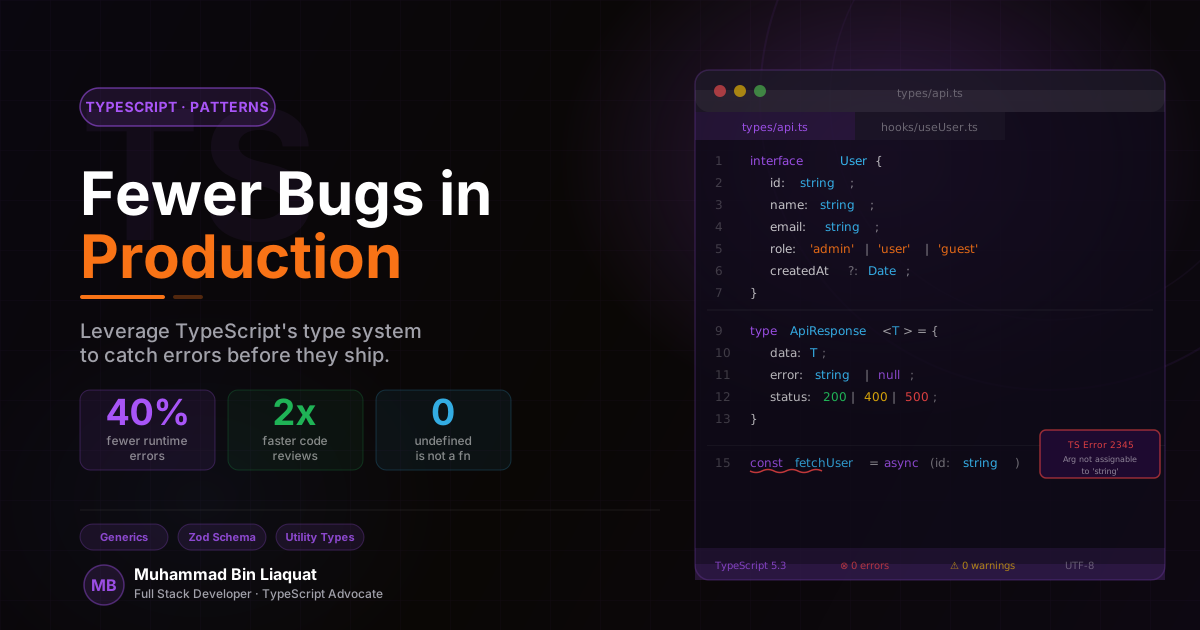
The most common source of null reference errors in React and Node.js applications is treating loading, success, and error states as three separate pieces of state — `isLoading: boolean`, `data: User | null`, `error: Error | null` — rather than as three mutually exclusive states of a single value. Discriminated unions model this correctly and make the impossible states unrepresentable.
A discriminated union is a union type where each member has a common literal property (the discriminant) that distinguishes it from the others. For async state, the discriminant is typically `status`: `{ status: 'idle' } | { status: 'loading' } | { status: 'success'; data: User } | { status: 'error'; error: string }`. TypeScript narrows the type automatically when you switch or if on the status field — inside the 'success' branch, data is always a User, never null.
This pattern eliminates entire categories of UI bugs. You cannot accidentally render data before it's loaded because data doesn't exist on the loading variant. You cannot forget to handle the error case because switch exhaustiveness checking (using a never type at the default branch) will produce a compile error if you miss a variant. You cannot have an inconsistent state where isLoading is true and data is also set.
Apply discriminated unions beyond async state: payment flow steps (cart, checkout, confirmation), form states (pristine, dirty, submitting, submitted), WebSocket connection states (disconnected, connecting, connected, reconnecting), and any other domain concept where the entity moves through a defined set of exclusive states. The key insight is that if two properties can never both be meaningfully set at the same time, they should not both be at the same level of the type — one should be inside the other's union variant.
- Replace `isLoading + data + error` with a single `AsyncState<T>` discriminated union type.
- Add an exhaustiveness check with `assertNever(state)` in the default branch of every switch over a discriminated union.
- Use discriminated unions for multi-step form wizards — each step is a union variant with only its own fields.
- Derive discriminant values from a const enum or string literal union for refactoring safety.
- Export the discriminated union type as the primary public API of any stateful module.
Branded types to prevent ID confusion bugs
A particularly insidious class of production bugs in applications with multiple entity types is ID confusion: passing a userId where an orderId is expected, or a productId to a function that expects a variantId. At runtime, all of these are just strings (or numbers). TypeScript's structural type system treats them as identical — `type UserId = string` and `type OrderId = string` are completely interchangeable as far as the compiler is concerned.
Branded types solve this by attaching a phantom type tag to a primitive. The pattern uses an intersection type with a unique symbol: `type UserId = string & { readonly __brand: 'UserId' }`. Since __brand is a phantom property (it doesn't exist at runtime), there's no performance cost. But at compile time, a UserId is only assignable to UserId — passing an OrderId where a UserId is expected becomes a type error.
Create brand helper functions that serve as the single creation point for each branded type: `const UserId = (id: string): UserId => id as UserId`. All validated user IDs come from this function — typically at your API response parsing layer. This centralizes the trust boundary: once a value has been branded, the rest of the application trusts it without additional runtime checks.
Branded types are particularly valuable in financial applications (don't confuse currency amounts with percentages), multi-tenant SaaS (tenant IDs must never mix), and any application with multiple entity IDs. They're also useful for validated strings — an EmailAddress brand guarantees that any value carrying that type has passed email format validation, eliminating repetitive validation throughout the codebase.
- Create branded types for every entity ID in your domain: `UserId`, `OrderId`, `ProductId`.
- Create a factory function for each brand that lives at the API response parsing boundary.
- Use branded types for validated primitives: `Email`, `PhoneNumber`, `Slug`, `ISODateString`.
- Never cast a raw string to a branded type outside of the factory function — centralize the trust.
- Consider using the `zod` library's `.brand()` method which integrates branding with runtime validation.
Generics: writing utilities that are both flexible and safe
Generics are TypeScript's mechanism for writing code that works with multiple types while preserving type information through each operation. Most developers understand the basics — `function identity<T>(value: T): T` — but struggle with the more powerful patterns: constrained generics, conditional types, and mapped types that enable truly reusable, type-safe utilities.
Generic constraints (`<T extends SomeType>`) are the key to making generics practical. A function that accepts any object and returns a specific property needs to know that the property exists: `function getProp<T, K extends keyof T>(obj: T, key: K): T[K]`. The constraint `K extends keyof T` guarantees that key is always a valid property of obj, and the return type `T[K]` preserves the exact type of that property — not just any.
Conditional types (`T extends U ? X : Y`) enable type-level logic that adapts the output type based on the input. The most commonly useful pattern is extracting the resolved type from a Promise: `type Awaited<T> = T extends Promise<infer U> ? U : T`. TypeScript's built-in utility types — Partial, Required, Readonly, Pick, Omit, ReturnType, Parameters — are all implemented using conditional types and mapped types. Understanding how they work enables you to write custom versions for your domain.
Template literal types (introduced in TypeScript 4.1) enable string manipulation at the type level. They're particularly useful for event systems, CSS-in-JS APIs, and API route type definitions. For example, you can define a type that only accepts valid HTTP method + path combinations: `type APIRoute = '${'GET' | 'POST' | 'PUT' | 'DELETE'} /api/${string}'`.
- Use `K extends keyof T` constraints to write safe, reusable object utility functions.
- Learn the built-in utility types deeply: `Required`, `Pick`, `Omit`, `ReturnType`, `Awaited`, `Parameters`.
- Use `infer` in conditional types to extract nested types from complex structures.
- Apply template literal types to build type-safe event emitter APIs and API route definitions.
- Keep generic type parameters to 2-3 per function — more than that signals the function is doing too much.
Structural patterns that make large codebases refactorable
As a TypeScript codebase grows, the patterns that seemed adequate at 10,000 lines of code begin to show strain at 100,000. The types become scattered across files, import cycles appear, and refactoring a shared type requires touching dozens of files. The solution is not a complex DI framework — it's disciplined type organization and a few structural patterns that scale linearly.
Single source of truth for shared types: create a `types/` directory (or `@types/` barrel) that exports all domain-level types from a single index file. Application features import from this barrel, never from each other's internal type definitions. This prevents import cycles and makes type refactoring a single-file operation. Domain types should be defined in terms of the problem domain, not in terms of any particular library's API.
Use `satisfies` (TypeScript 4.9+) instead of type annotations when you want both type checking and type inference. `const config = { port: 3000, host: 'localhost' } satisfies ServerConfig` gives you compile-time validation that config matches ServerConfig while preserving the literal types of the values (3000, not number). This is useful for configuration objects, route definitions, and any case where you need both validation and preservation of specific literal types.
Barrel files (`index.ts` that re-exports from sibling files) improve the developer experience of navigating large codebases, but they can create problems with circular imports and slow TypeScript compilation if overused. The guideline: use barrels at module (feature) boundaries to define the public API of each module, but not within modules to aggregate internal files. Everything inside a feature module can import directly by path; consumers import from the module's barrel.
- Create a central `src/types/index.ts` barrel that exports all domain-level types.
- Use the `satisfies` operator for configuration objects to get validation without losing literal types.
- Enforce module boundaries with ESLint's `import/no-internal-modules` rule to prevent bypassing barrel APIs.
- Run `tsc --diagnostics` to identify types or files causing slow compilation and refactor them first.
- Use TypeScript's project references for monorepos to enable incremental compilation per package.
Share this article
Help others discover this resource and extend the reach of the content.